
Test your music in different ways
Independent BPM and pitch control, instant key detection, audio quality analysis, and effortless track rename — all in one beautifully simple Mac app.
Free 30-day trial — no credit card required
48 ratings on the Mac App Store
Harmonic Mixing, Built In
The Camelot Wheel is color-coded right into the interface — compatible keys are flagged automatically, so you find the next clean transition without stopping to think.
Catches Bad Files Before You Do
Audio quality detection flags transcoded and low-bitrate tracks in your library before they show up mid-set — not after.
Precision BPM & Pitch
Fine-grained tempo and key control, down to the decimal. No guessing, no drift.
Everything you need. Nothing you don't.
Six tools that elevate your workflow and transform the way you experience music.
Independent BPM
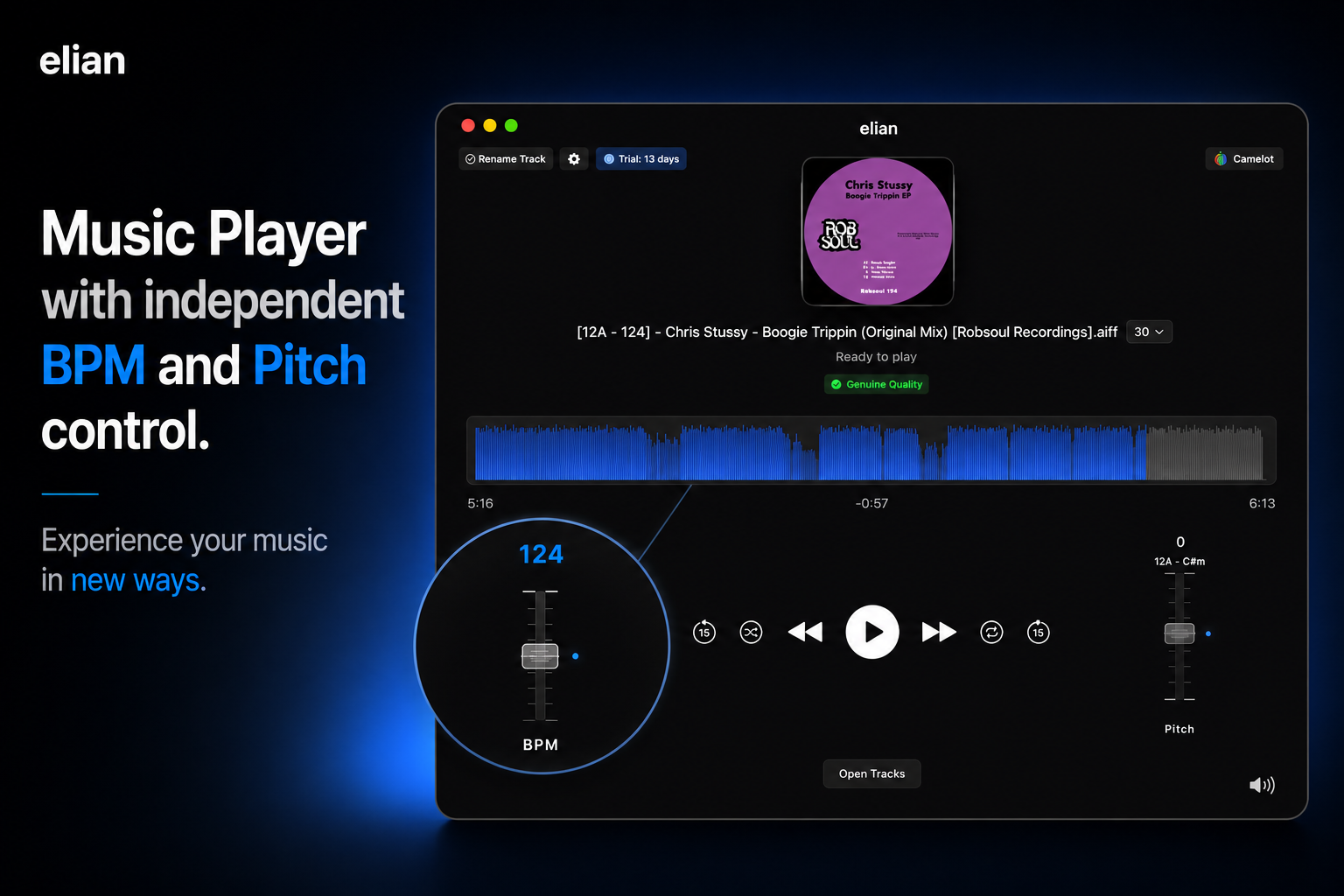
Test your tracks at different BPMs without changing the key — with sample-accurate precision.
Independent Pitch
Shift pitch in semitones or cents while tempo stays exactly where you set it.
Camelot Wheel
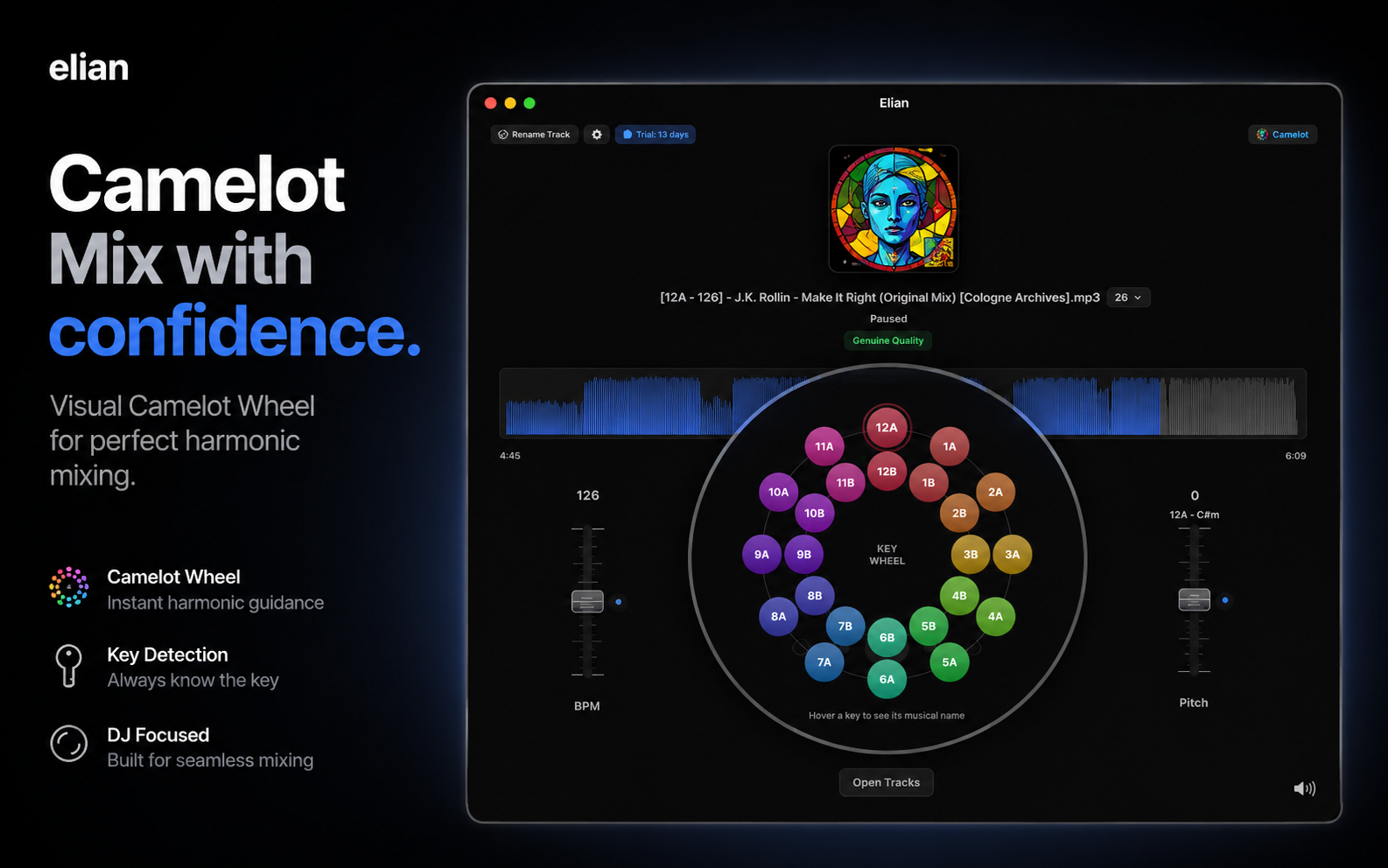
Instant key detection mapped to the Camelot wheel for harmonic mixing at a glance.
Audio quality detection
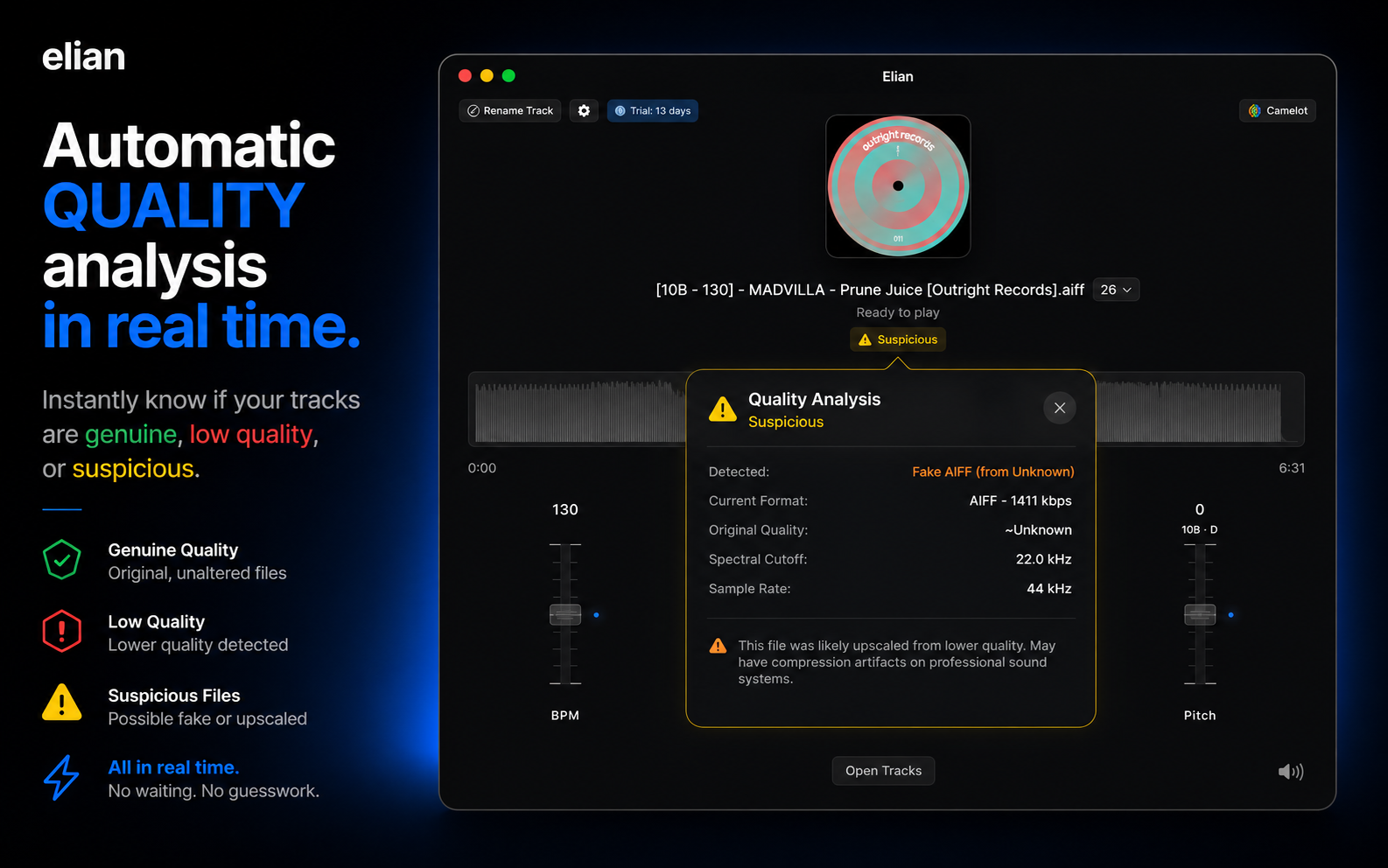
Spot low-bitrate and transcoded files before they ruin your set.
Track rename
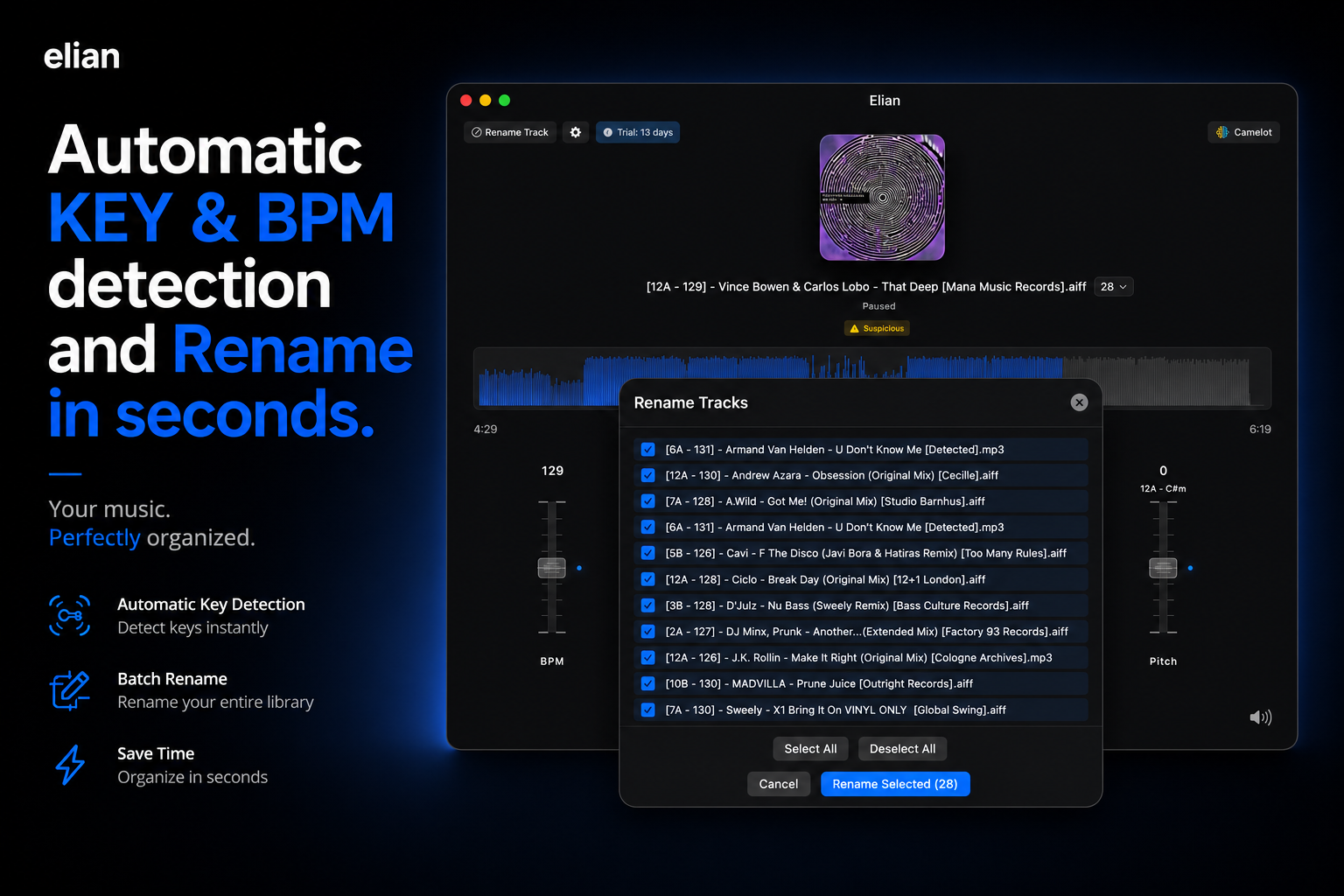
Rename your tracks in seconds with Camelot key and BPM.
Waveform display
See your track's structure in real time and speed up your analysis without missing a beat.
BPM and Key, fully independent.
Change the BPM without the vocals getting distorted. Shift the key without touching the tempo. In elian, each control works independently — so you can explore new versions of your tracks without compromising the sound.
Know the BPM and key of every track, instantly.
elian detects BPM and key and renames as many tracks as you want at once — so you can find harmonically compatible tracks fast and build sets that flow.
Know your files before you play them.
A built-in analyzer flags low-bitrate files, upscaled MP3s, and other quality issues before they make it into your set — so every track sounds as good as it should.
Visual harmonic mixing.
The Camelot Wheel shows which tracks are harmonically compatible with any track in your library — so you can build sets that sound great together without memorizing a thing.
Start free. Stay if you love it.
30-day trial with everything unlocked.
See is free. Transform is Pro.
Free
€0
See everything, free.
- ✓Full music player
- ✓BPM detection (read only)
- ✓Key detection (read only)
- ✓Camelot Wheel
- ✓Waveform
- ✓Audio quality detection
- ✓Camelot ↔ musical notation toggle
Pro Monthly
€4.99per month
Full power, billed monthly.
- ✓Everything in Free
- ✓BPM fader — adjust speed
- ✓Pitch / Key fader — adjust tone
- ✓Batch track rename (with BPM and Key)
Pro Annual
€29.90per year
Best value — save 50%.
- ✓Everything in Free
- ✓BPM fader — adjust speed
- ✓Pitch / Key fader — adjust tone
- ✓Batch track rename (with BPM and Key)
Subscriptions managed via Mac App Store. Cancel anytime.